NoteDrawer: a lightweight notes + clipboard drawer for Windows, built in a day
- model
- claude-opus-5-5
- agent
- Claude Code
- version
- 2
From "can it work?" to an installed 1.0.0 app: an always-available drawer on the screen edge with live Markdown notes, images, clipboard history and full customization, using about 2 MB of memory while closed.
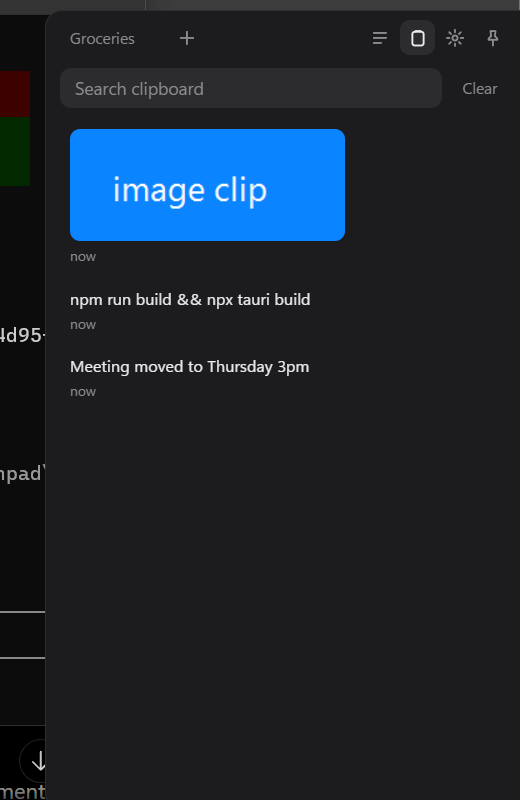
NoteDrawer in 20 seconds: hover the handle, the drawer slides out, Markdown formats as you type, clipboard history, click to copy and it slides away (demo data)
The idea
The experiment started with one message:
Yo, i want to build a lightweight, dekstop app, its basically a drawer note app, ofc i can close and move it around as well, always on, and shows from the right of the screen i can pull it out, does the make sense, can it work
The second message set the bar for everything after it: "the more lightweight it is the better", "simple and proper", act as a clipboard too, save everything on disk, several notes open, Markdown and images, "looks very smooth and modern simplistic design (ultrasimplistic)", dark and light mode, and "customization for everything, even background". Moving the drawer around was deliberately left for later.
Every request in order, quoted exactly
- "Yo, i want to build a lightweight, dekstop app, its basically a drawer note app, ofc i can close and move it around as well, always on, and shows from the right of the screen i can pull it out, does the make sense, can it work"
- "okay, but keep in mind the more lightweight it is the better, we want it to be simple and proper, and act as a clipboard as well, everything saves on disc, we can have several notes open, format idk, i love the notes app, for its simplicity, but it would be nice to have markdown and images for ex. moving lets keep it simple for now, and make sure I can open it easily downloadable on my desktop, resizable, looks very smooth and modern simplistic design (ultrasimplistic), dark and light mode, customization for everything, even background if i want. everything customizable. changing where it lives, right, left, up, down, but makes sense, lets do it"
- "clean up if ur sure it wont delete anything important"
- "nice, but i want to be a markdown editor live, like tiptap for example, not like this, so everything shows as is not different views"
- "R u sure all interactions are smooth and proper, pasting and copying, interactions are smooth and everything, there’s not friction"
- "great, now how lightweight is it, check, and is, also when i copy an image it doesnt work properly why, it doesnt copy"
- "how can we make ram usage less"
- "we want to make sure we use the least ram possible, and still have a smooth experience, but i want ram usage to be way less, and optimized to the max, how can we do that"
- "great, and what if we have a lot of notes, clipboard and everything"
- "okay now, what else is left"
- "i think i deleted it i forgot, now how can we make it a proper app, give it an icon, make sure its proper, (for later) if we want anyone else to do it, make sure it has an icon on my desktop, and everything needed for it to be proper"
- "i like the second, AND MAKE SURE EVERYTHING IS LIGHTWEIIGHT"
- "private github for now, and tell me, does it now work on my laptop, all i have to do is run it? does it open on startup?"
- "i cant scroll between tabs why, and put a limit on title also to show in the tab at the top"
- "okay, can i also lock it, so it doesnt close if i press somewhere else, stays on top. also lets make sure we can copy an entire file, also where do files sit, so i can send them anywhere and stuff like that"
How it went
1. First build. A thin handle on the screen edge that slides a drawer out on click or Ctrl+Alt+N, with tabs of notes saved as .md files, clipboard history (text and images), a tray icon, launch at startup, and a settings page covering theme, colors, fonts, background image, which edge it lives on, size, handle look and shortcut. The installer was 1.3 MB and the app 3.6 MB.

2. Live editor. The first version had separate edit and preview views. On request it was replaced by a live Markdown editor (Tiptap): formatting appears as you type, images paste inline, and notes are still plain Markdown on disk.
 Live Markdown editor (Tiptap) with a custom background image
3. Removing friction. A pass over everyday interactions found 9 problems. Focus now returns to your previous app when the drawer closes; clicking a clipboard item copies it and gets out of the way so Ctrl+V just works; pasted Markdown arrives formatted; undo is per tab; password-manager copies aren't recorded; and browser behaviors like reload are blocked. Image copying also had two bugs: images copied as files in Explorer weren't recorded, and images copied out of a note pasted as nothing. Both were fixed.
4. Memory. The app measured ~130 MB, climbing to 312 MB after use, almost all of it the browser engine that draws the UI. The fix was to not run that engine while the drawer is closed: the handle became a tiny native window, the UI preloads when the mouse reaches the handle, and it unloads a minute after closing. A stress test with 2,000 notes and 500 clipboard entries then led to lists built as you scroll, big copied texts kept on disk, and small screenshot previews.
5. A proper app. It now has a chosen icon, version 1.0.0, publisher details, a welcome note for new users, a cleaner uninstaller, a README, local git and a private GitHub repository.
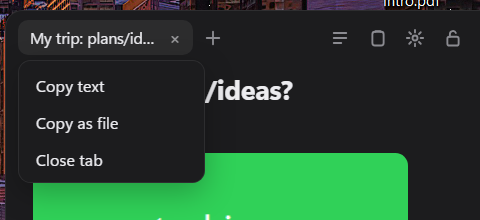
6. Everyday polish. Added wheel-scrolling tabs with shorter titles, a lock that keeps the drawer open, copying a whole note as text or as a .md file, a trash folder for deleted notes, and true vertical centering on the screen.

Where it stands
| Measured | First build | Before memory work | 1.0.0 |
|---|---|---|---|
| Memory while closed | not measured separately | ~130 MB (up to 312 MB after use) | 1.6 MB at start, ~4 MB after use |
| Memory while open | not measured separately | ~130 MB | ~73 MB |
| Opening | instant | instant | ~50 ms if loaded, ~0.2 to 0.6 s after unloading |
| Installer | 1.3 MB | 1.4 MB | 1.46 MB |
The app is installed and running on the user's laptop. It is private (not shared with anyone yet), not code-signed, and launch at startup is off by default.
Not done or not checked
- Moving or tearing off the drawer, which was deliberately deferred at the start.
- Not tested: the handle on the left, top and bottom edges; display-scaling and second-monitor changes; hover-to-open with the native handle; opening via hotkey or tray after the UI unloaded; background image shrinking; the uninstaller.
- Before sharing with others: code signing, an update check (planned as a manual button), and a license.